Apr 23
Looping 404 Error on Search
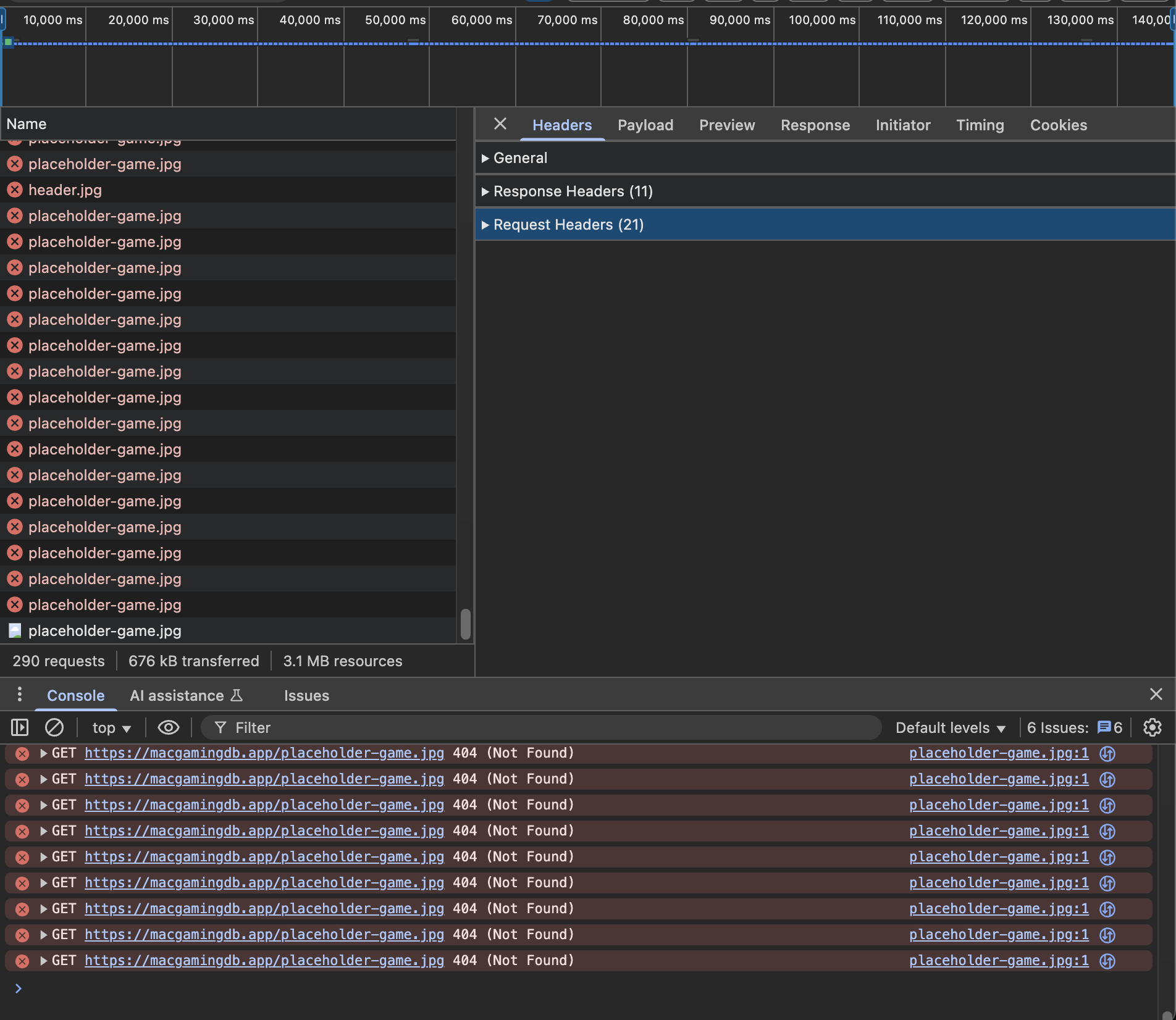
When performing a search, a continuous 404 (Not Found) error is triggered for placeholder-game.jpg. This occurs on both Chrome and Firefox browsers and appears to cause repeated requests that consume unnecessary network bandwidth. The error can be observed in the browser's developer console. See the attached screenshot for reference (~290 requests and counting).
Steps to Reproduce:
1. Use the search feature and enter any term.
2. Open DevTools, navigate to the Console and Network tabs.
3. Observe the repeated error:
"GET https://macgamingdb.app/placeholder-game.jpg 404 (Not Found)"
Expected Behavior:
The search should load results without requesting a missing image repeatedly.
Actual Behavior:
The site attempts to load a non-existent image placeholder-game.jpg, leading to an endless loop of 404 errors.
Impact:
- Increased and unnecessary network usage
- Console cluttering
- Possible performance degradation for users with limited bandwidth
Environment:
Browsers tested: Chrome (v135.0.7049.96), Firefox (v137.0.2)
Completed
This has been fixed now, thanks for reporting